







MacSonik PDF Data Extraction for Mac
- Demo
- 4.91
- V25.5.0
Download for Mac
View an ad to download for free
PDF Data Extraction Tool for Mac to Extract Elements from PDF File
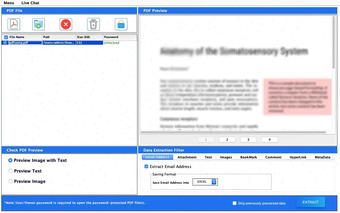
MacSonik PDF Data Extraction Tool is a powerful and user-friendly solution designed to extract valuable content from PDF documents with speed, accuracy, and complete data integrity. Whether you need to retrieve text, images, attachments, bookmarks, hyperlinks, comments, or metadata, this advanced utility simplifies the entire extraction process and delivers reliable results within minutes.
The software supports both single and bulk PDF processing, allowing users to extract data from multiple PDF files simultaneously. Its intelligent extraction engine ensures that all selected content is accurately retrieved while preserving the original structure and quality. This makes it an ideal choice for professionals, researchers, legal teams, students, and organizations handling large volumes of PDF documents.
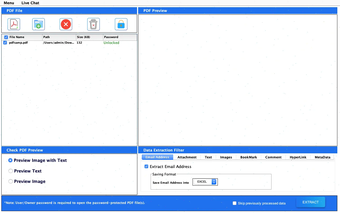
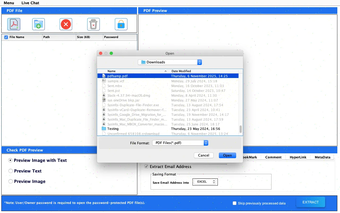
One of the key advantages of the MacSonik PDF Data Extraction Tool is its ability to work with both standard and password-protected PDF files. Users can securely unlock encrypted PDFs by entering the correct password and then proceed with data extraction without compromising document integrity. The software also provides a built-in preview feature that allows users to view text, images, or both before initiating the extraction process.
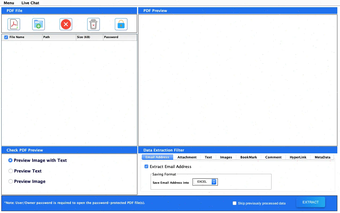
The tool offers flexible extraction options, enabling users to extract content from all pages, specific page ranges, odd pages, even pages, or selected page numbers. This targeted extraction capability helps save time and improves productivity when working with large PDF documents. Additionally, users can extract embedded attachments and organize them into separate folders for easier management.
MacSonik PDF Data Extraction Tool supports multiple output formats for extracted text, including DOC, DOCX, PDF, HTML, and TXT. Extracted images can be saved in popular formats such as JPEG, PNG, BMP, and GIF, ensuring maximum compatibility with different workflows and applications.
Designed with a simple and intuitive interface, the software requires no technical expertise, making it accessible to users of all experience levels. It is fully compatible with the latest and older versions of Windows and macOS, including Apple Silicon-based devices.
With fast processing speed, secure extraction methods, and advanced customization options, MacSonik PDF Data Extraction Tool provides a complete solution for extracting and managing PDF content efficiently. It is the perfect choice for users seeking a reliable, accurate, and professional PDF data extraction utility.
Loading…
.png)
.png)
.png)
.png)
App specs
License
Demo
Version
25.5.0
Latest update
Platform
Mac
OS
macOS 10.14
Language
English
Size
245.44 MB
Developer
- MacSonik
- More programs (25)
MacSonik PDF Data Extraction for Mac
- Demo
- 4.91
- V25.5.0
Download for Mac
View an ad to download for free
User reviews about MacSonik PDF Data Extraction
Have you tried MacSonik PDF Data Extraction? Be the first to leave your opinion!
Add reviewTop downloads File managers for Mac
Top downloads File managers for Mac
Top downloads File managers for Mac
Related topics about MacSonik PDF Data Extraction
Latest articles

Call of Duty: Black Ops and Black Ops II could hit PS4 and PS5 this July

Pokémon Pokopia gets Jirachi event next week: befriend the starriest Legendary Pokémon

Electronic Arts tests EA Advertising: ads built into gameplay

Android 17 and Wear OS 7 are out now: Pixel gets them first

Snap opens preorders for Specs: AR glasses cost $2,195
Laws concerning the use of this software vary from country to country. We do not encourage or condone the use of this program if it is in violation of these laws. Softonic may receive a referral fee if you click or buy any of the products featured here.